You’ve probably been there: running to catch the Metro, only to find a queue at the ticket machine, a crumpled red ticket in your wallet that won’t scan, or a visiting relative who needs a ticket right now.
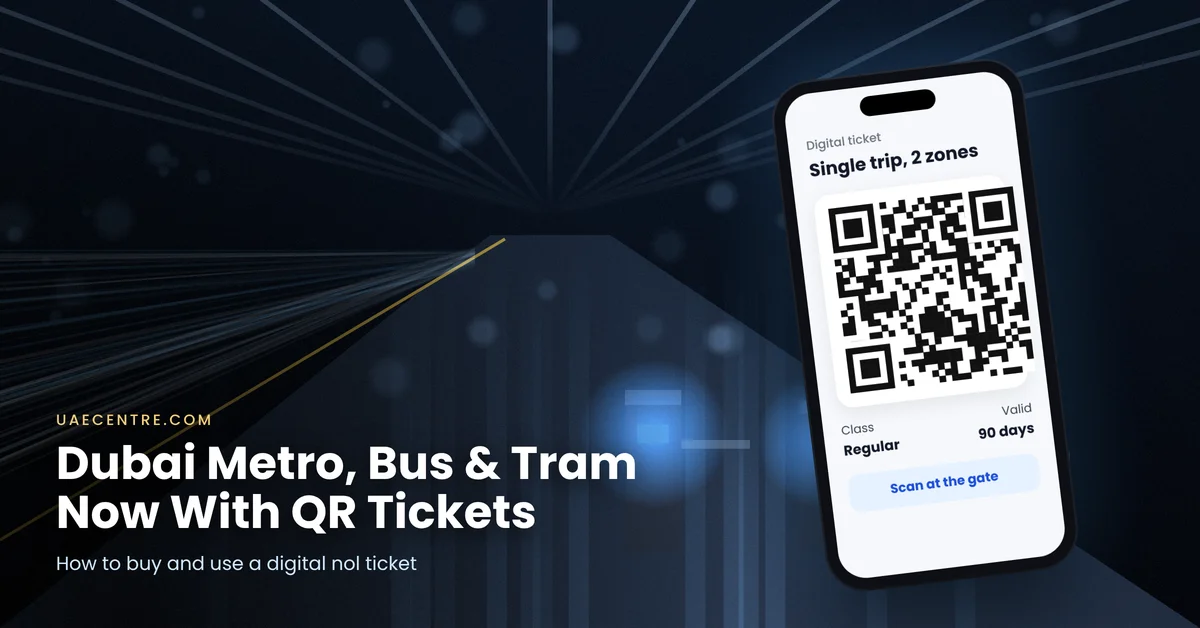
That headache just got smaller. On 9 October 2026, Dubai’s Roads and Transport Authority (RTA) launched digital nol QR tickets, letting you buy a ticket on your phone and walk straight through the gates on the Metro, Tram and public buses. No paper, no machine, no card needed.
Here’s exactly how it works, how to buy one, and the small rules that can trip you up.
Quick answer: Open the nol Pay or S’hail app, choose a single-trip ticket or a one-day pass, select your destination or zone, and pay. Your QR code appears instantly. On the Metro, scan it at the blue entry gates; on buses, hold your phone screen up over the red nol reader; it also works on the Dubai Tram. Scan when you enter and exit. Unused tickets stay valid for 90 days.
What Is the Digital Nol QR Ticket?
Think of it as the digital version of the old red nol ticket, the paper ticket tourists and occasional riders have used for years. Instead of buying a paper ticket from a machine, you buy a ticket in an app and get a QR code on your phone.
It’s designed for people who travel now and then: visitors, residents who usually drive, or anyone who’s left their nol card at home. It’s an extra option, not a replacement. Silver, Gold and personalised Blue nol cards all continue to work as normal.
Where Can You Use It?
| Transport | QR ticket accepted? | How to scan |
| Dubai Metro | Yes | Hold the QR code to the reader on the blue entry gates |
| Dubai Tram | Yes | Hold the QR code to the reader at the gate |
| Dubai public buses | Yes | Hold your phone screen up over the red nol reader at the entrance |
| Dubai Ferry, water taxi and abra | No | Use a nol card or other payment |
| Etihad Rail | No | Separate Etihad Rail tickets |
Heading to Abu Dhabi or Fujairah by train? The Metro Red Line connects to Etihad Rail’s Al Yalayis Station, so you can use your QR ticket for the Metro leg and a separate train ticket for the rest. Our Etihad Rail guide explains how.
How to Buy a Nol QR Ticket (Step by Step)
- Download the nol Pay or S’hail app from the App Store or Google Play. Both are official RTA apps.
- Open the app and select the option to purchase a QR ticket.
- Choose a single-trip ticket or a one-day pass.
- Select your destination or the number of zones you’ll travel through.
- Pick the class (Regular or Gold Class on the Metro) and check the fare.
- Pay by card in the app.
- Your QR ticket appears instantly in the app, ready to use.
You can buy tickets in advance, and unused digital tickets stay valid for up to 90 days from purchase. That’s handy if you want to buy tickets for a visiting family member before they land.
How Much Does a Nol QR Ticket Cost?
The QR ticket follows the same zone-based pricing as the red nol ticket, so the fare depends on how many zones you travel through and the class you choose. Short single trips start from around AED 6. A one-day pass costs more but covers unlimited Metro, Tram and bus rides for the day.
Some reports mention a small service fee per purchase. The exact total, including any fee, is shown in the app before you pay, so always check the final price on screen.
Is it cheaper than a nol card? For regular travel, no. If you ride often, a Silver or personalised Blue nol card is usually the better value. The QR ticket is about convenience for occasional trips, not savings.
How to Use Your QR Ticket
On the Dubai Metro and Tram
Open the ticket in the app before you reach the gate. Hold your phone with the QR code facing the reader on the blue entry gate and keep it steady until the gate opens. Scan again when you exit. If you change lines or transfer to a bus, keep the ticket open and ready.
On Dubai buses
Open the ticket in the app and hold your phone screen up over the red nol reader near the bus entrance until the ticket is accepted. Remember to tap out when you leave the bus, just like with a nol card.
Making transfers smoothly
Many journeys in Dubai combine more than one mode, for example a Metro ride followed by a feeder bus, or the Tram to the Metro at Dubai Marina. Keep the nol Pay or S’hail app open during your trip so you’re not searching for the ticket at every gate. It also helps to keep your phone charged: a phone that dies halfway means a ticket you can’t show when you exit. If you’re out for a long day, a small power bank is worth carrying.
5 Rules That Can Catch You Out
- Screenshots don’t work. The QR code refreshes automatically, so you must open the live ticket in the app. A screenshot will be rejected at the gate.
- You need an internet connection to load your ticket. Metro and Tram stations offer Wi-Fi, but on a bus stop with weak signal, open your ticket before you arrive.
- Scan in and out. Like a nol card, you must validate the QR code when entering and when leaving the network.
- Gold Class needs a Gold ticket. Sitting in the Gold Class cabin with a Regular QR ticket carries the same penalty as using a Regular nol card there.
- Day passes end at the end of the day. A one-day pass bought late in the evening won’t last 24 hours, so time your purchase.
QR Ticket vs Nol Card: Which Should You Use?
| Digital QR ticket | Nol card (Silver, Gold, Blue) | |
| Best for | Visitors and occasional riders | Regular commuters and residents |
| How to get it | Instantly in the nol Pay or S’hail app | Ticket machines, offices, or apply online (Blue) |
| Needs a phone and internet? | Yes | No |
| Valid on | Metro, Tram, buses | Metro, Tram, buses, plus wider services such as some parking and ferries |
| Value | Convenient, standard fares | Usually better value for frequent travel |
In short: if you’re a daily Metro rider, keep your card. If you take public transport twice a month, or you’re hosting visitors, the QR ticket is a big upgrade on queuing for paper tickets.
Nol Card Types Explained
If you’re deciding between the QR ticket and a card, it helps to know what each nol option is for:
- Red ticket (now also digital QR): for occasional single trips or a day pass. Fares are loaded per trip rather than stored as a balance.
- Silver card: the standard anonymous card most residents use. Top it up and tap in and out on Metro, Tram and buses at regular fares.
- Gold card: like Silver, but for travelling in the Metro’s Gold Class cabin at Gold Class fares.
- Blue card: a personalised card linked to your Emirates ID, which can be protected if lost and gives access to concession fares for eligible groups such as students and seniors. Students, for example, can apply for half-price fares.
For most residents, a Silver or Blue card remains the everyday choice. The QR ticket simply fills the gap for the trips in between.
Buying Tickets for Family and Visitors
One of the most useful features is that you can buy a QR ticket on your own phone and share the trip with visiting relatives, rather than sending them to a ticket machine on their first day. Since tickets stay valid for 90 days, you can even buy a few in advance for a family visit. Just remember that each traveller needs to scan their own valid ticket at the gate, so plan who carries which phone, and make sure everyone has a charged battery and a way to get online.
Who Benefits Most?
- Tourists and visiting relatives: buy their tickets from your phone, even before they arrive, and skip the ticket machine queue.
- Residents who usually drive: with fuel prices high this month and Salik charges adding up, an occasional Metro trip makes sense. Our guide to Salik shows how much tolls really cost.
- Night-out planners: going to Global Village or a big event? Take public transport there and avoid parking queues.
- Anyone who forgot their nol card: no need to buy a new card just for one trip.
Why Is Dubai Going Digital?
The QR ticket is part of RTA’s wider push to make public transport paperless and faster. Paper red tickets are easy to lose, bend or demagnetise, and buying them means queuing at machines during busy times. Moving tickets onto phones cuts waste, speeds up entry at the gates and gives first-time visitors a familiar way to pay, much like the mobile boarding passes they already use for flights.
It also fits Dubai’s growing network. With the Metro running at very high punctuality, the Etihad Rail now connected at Al Yalayis and the Blue Line under construction, more people than ever are combining several modes of transport in one trip. A ticket that lives on your phone makes those connections smoother.
Troubleshooting: What If the Gate Won’t Open?
- Increase your screen brightness and hold the phone steady, a few centimetres from the reader.
- Make sure you’ve opened the live ticket, not a screenshot or an old ticket.
- Check your connection. If the ticket won’t load, connect to the station Wi-Fi.
- Check the ticket type. Make sure it’s valid for the zone and class you’re using.
- Ask station staff. Customer service desks at Metro stations can help on the spot.
Frequently Asked Questions:
Final Word: One Less Thing to Carry
Dubai’s public transport was already one of the easiest in the region to use. With digital nol QR tickets, it’s now even simpler for visitors and occasional riders: buy on your phone, scan at the gate, and go. Keep your nol card if you travel daily, but download nol Pay or S’hail anyway. The next time you forget your card or have guests in town, you’ll be glad you did.
Official source: RTA Dubai.
This article is based on RTA announcements and news reports published up to 12 October 2026. Fares, fees and rules can change, so check the nol Pay or S’hail app for current details. Last updated: 12 October 2026.